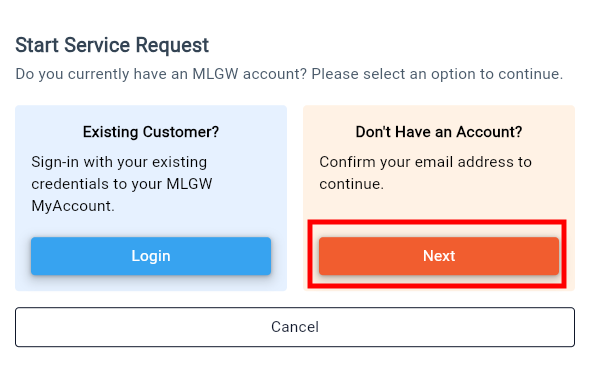
MLGW's Start Service application helps existing and returning customers quickly begin utility services at a residential address. The online form guides users through providing basic information, selecting a start date, and submitting a service request, making the setup process simple and convenient.
This application provides two distinct workflows for initiating service:
Logged-in Flow: For existing MLGW customers who sign into MyAccount and submit a start-service request.
Non-Logged-in Flow: For customers or users who do not have an MLGW account and wish to initiate service.
Logged-in Flow
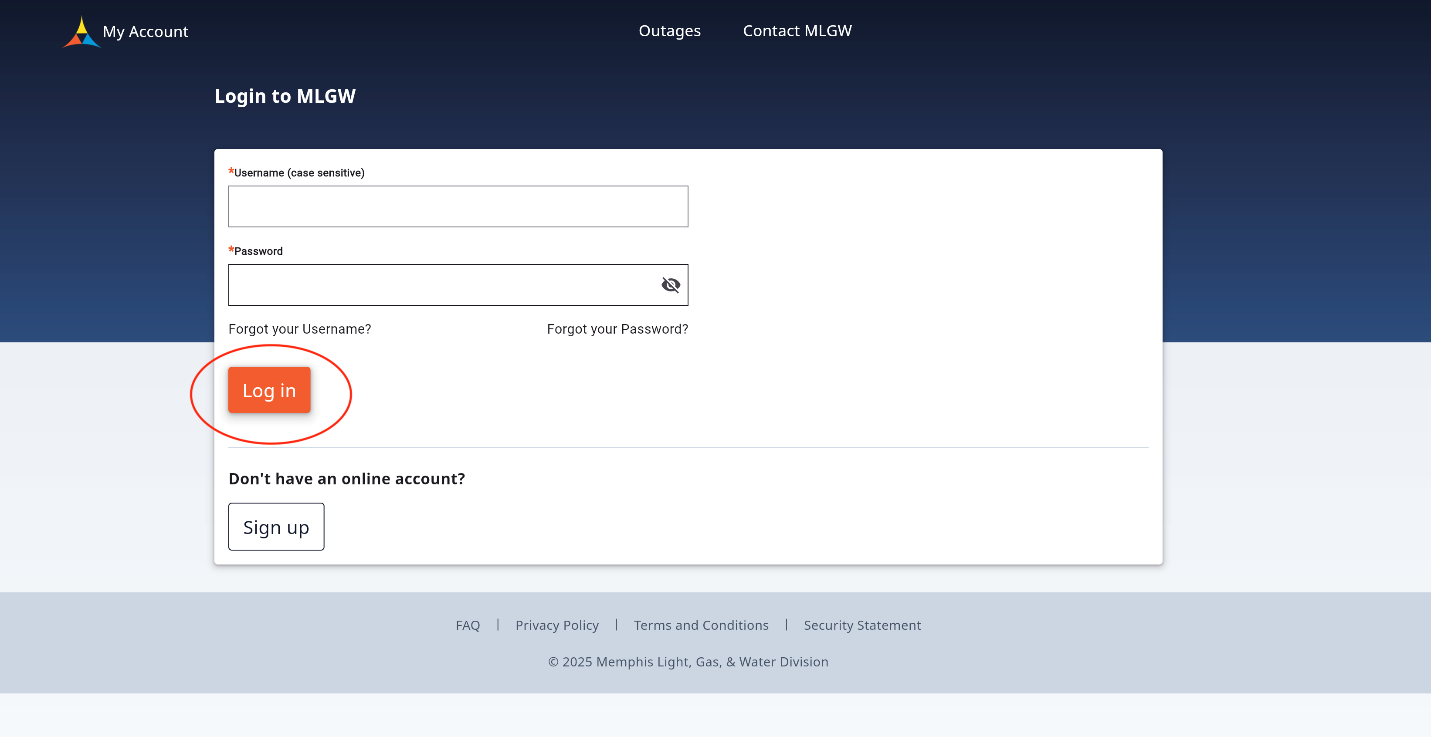
Step 1: Log In to your MLGW My Account
Go to the Myaccount login page and enter your My Account username and password.
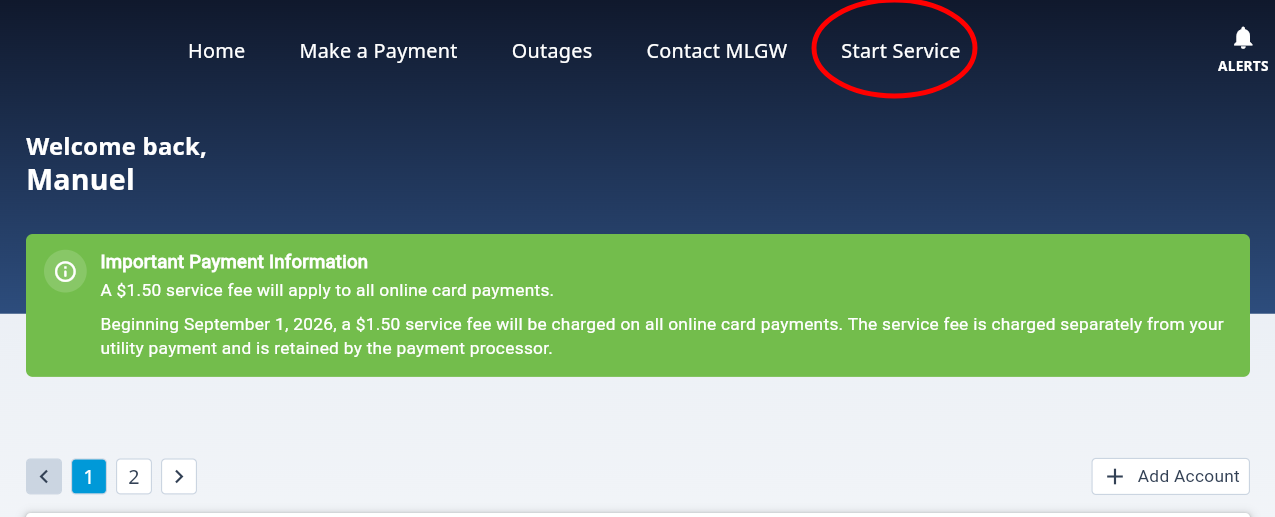
Step 2: Select Start Service
Once logged in, choose Start Service from the top navigation bar or from the Moving section at the bottom of the page.
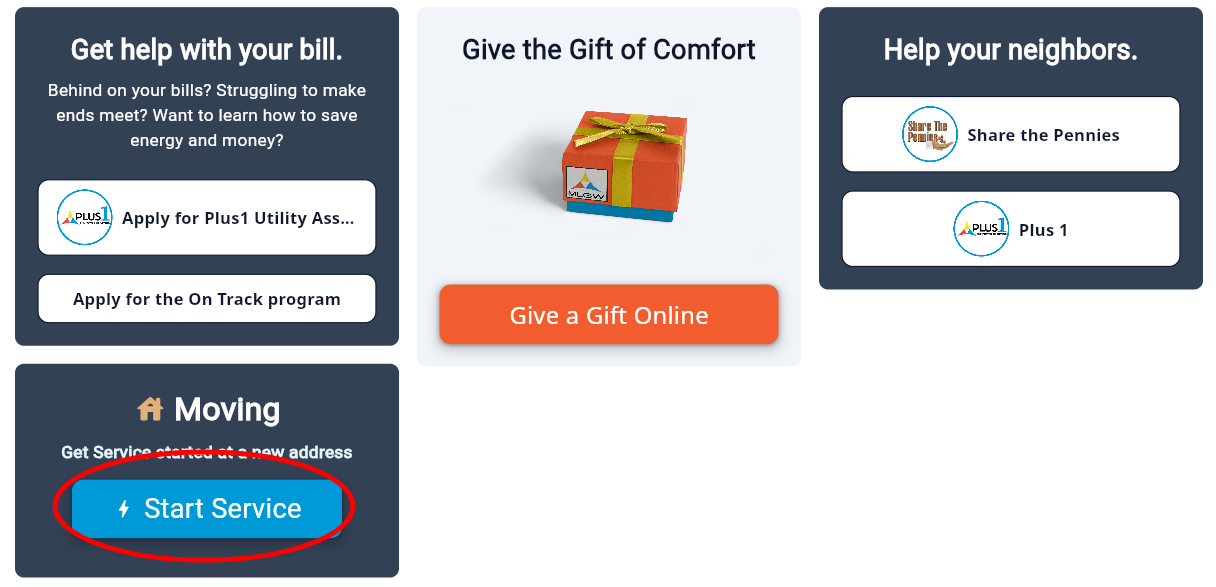
Step 3: Start Services
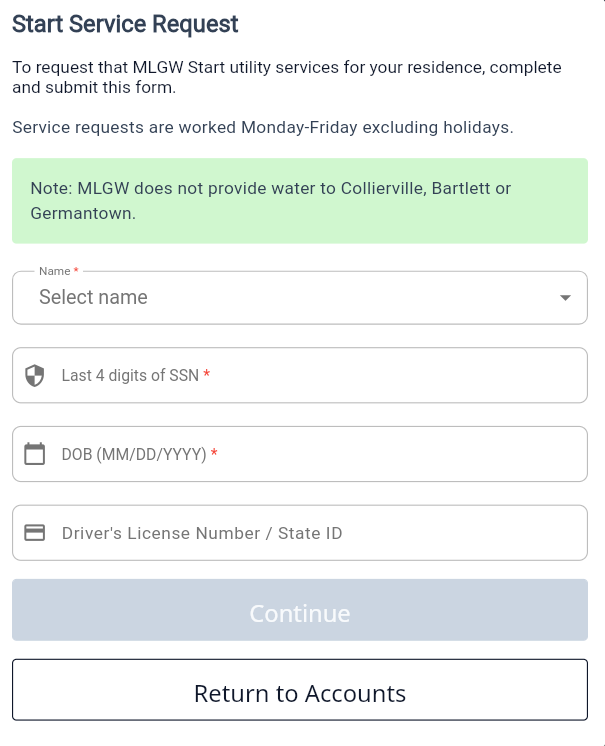
After selecting the Start Service option, you will be prompted to select the customer's name and other details to proceed with Start service application.
Non-Logged in Flow
Step 1: New Customer Section
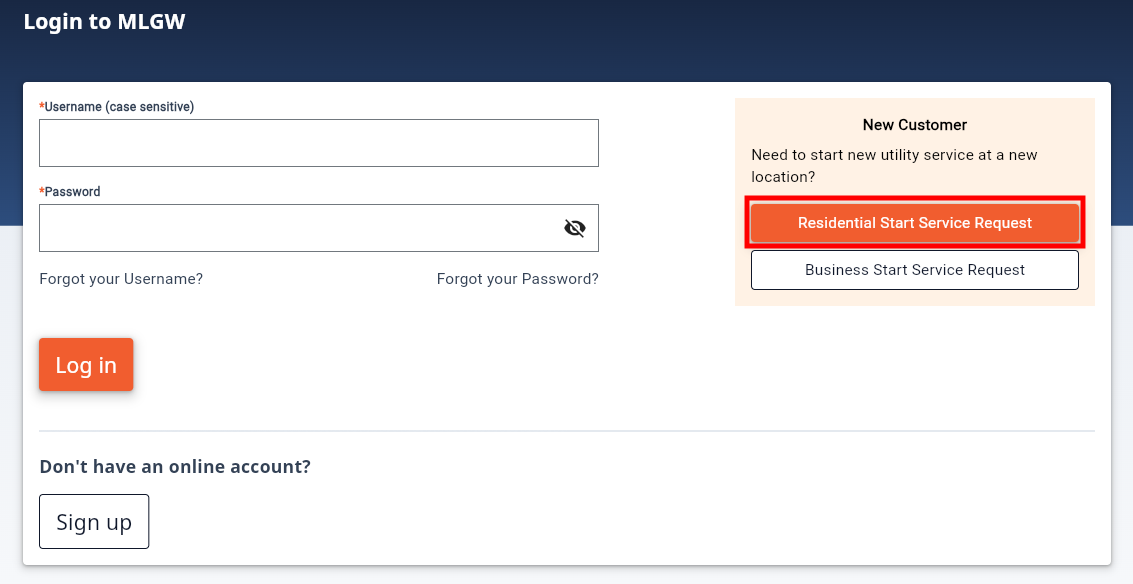
Go to the Myaccount login page, under the New Customer section, select 
Step 2: Start Service non-logged in flow
Click  to proceed with the Start Service non-logged in flow.